The Indian smartphone experience is distinct — shaped by UPI’s payment revolution, Jio’s data democratisation, a multilingual population with specific language access needs, a market where price sensitivity drives feature expectations, and the specific patterns of how Indian families, professionals, and entrepreneurs use their phones to navigate daily life. The apps that are genuinely most useful for Indian users aren’t always the globally dominant ones — sometimes they are purpose-built for Indian contexts, regulations, and user behaviours in ways that international equivalents don’t replicate.
1. BHIM / GPay / PhonePe (UPI Payment Apps)
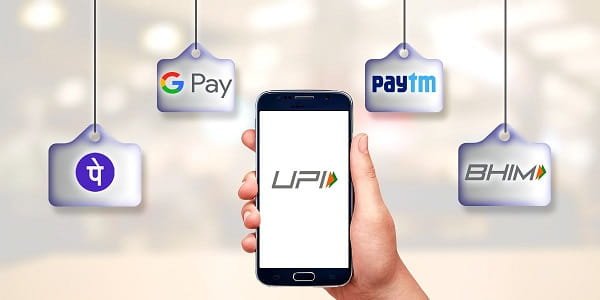
No mobile application has transformed Indian daily life more comprehensively than UPI-based payment apps — and choosing between BHIM, Google Pay, and PhonePe is less important than using one consistently, because all three operate on the same UPI infrastructure with equivalent core functionality. Paying the vegetable vendor, splitting a restaurant bill, sending money to family, paying utility bills, and investing in mutual funds — all through the same app, instantly, at zero transaction cost.
India’s UPI transaction volume has made it the world’s largest real-time payment network — a distinction that represents genuine financial infrastructure transformation within a single decade. For Indian users, a UPI payment app is the single most indispensable mobile application — the one that would be most immediately missed if removed.
Key features: Instant money transfer, bill payments, merchant payments, bank balance check, FASTag recharge.
2. DigiLocker
The Government of India’s official digital document wallet — DigiLocker stores government-issued documents including Aadhaar, driving licence, vehicle RC, PAN card, marksheets, and insurance documents in a format that is legally equivalent to the physical original for most verification purposes.
DigiLocker’s practical utility becomes apparent at every document verification moment — a traffic stop, a bank account opening, a loan application, a job interview documentation check — where a phone rather than a physical document folder is all that’s required. For urban Indians navigating multiple formal processes simultaneously, DigiLocker eliminates the anxiety of carrying irreplaceable original documents and the cost of the multiple notarised copies that different processes historically required.
Key features: Official document storage, legally valid digital copies, direct integration with government databases, sharing documents with authorised entities.
3. mAadhaar
The Unique Identification Authority of India’s official mobile application provides secure, authenticated access to Aadhaar services — biometric locking and unlocking, OTP-based authentication for KYC, Aadhaar-based face authentication, and management of the mobile number and address linked to the Aadhaar number.
The biometric lock feature — which disables biometric authentication for the Aadhaar number until actively unlocked by the account holder — is a critical identity protection tool in an environment where biometric identity fraud is a documented risk. Every Indian Aadhaar holder should have this feature configured and understood.
Key features: Aadhaar authentication, biometric lock management, OTP generation, virtual ID creation, profile management.
4. UMANG
The Unified Mobile Application for New-age Governance — UMANG — aggregates over 1,700 central and state government services into a single application. Checking EPF balance and withdrawing provident fund, filing income tax-related queries, accessing CBSE marksheets, checking pension status, accessing PMJAY health insurance services, and interacting with dozens of other government schemes and departments — all through one application with a consistent authentication framework.
UMANG’s comprehensiveness makes it the most practically powerful government services app available to Indian citizens — the challenge is that its breadth makes it less immediately intuitive than purpose-built single-service apps. For users who invest time in understanding which services it covers, UMANG eliminates the need to maintain separate applications for each government interaction.
Key features: EPF management, income tax services, PMJAY health access, land records, government scheme applications, education services.
5. mParivahan / Vahan App
The Ministry of Road Transport and Highways’ mobile application for vehicle and driving licence services — mParivahan provides vehicle registration certificate and driving licence as legally valid documents on the phone, real-time vehicle registration lookup, pending challan checks, e-challan payment, and the RC and DL downloads that eliminate carrying physical documents while driving.
The challan check feature — allowing users to check outstanding traffic fines against any vehicle registration number — has become one of the most used features both for checking personal vehicle status and for verifying second-hand vehicle history before purchase.
Key features: Digital RC and DL storage, challan check and payment, vehicle information lookup, driving licence status, permit and fitness certificate details.
Frequently Asked Questions (FAQs)
Q1. Are these government apps secure, and can I trust them with sensitive documents?
A: All five apps are either government-operated or government-regulated with defined data protection frameworks. DigiLocker and mAadhaar are operated by government agencies with ISO certification and security standards defined by UIDAI and the Ministry of Electronics and Information Technology. The security of these applications is generally higher than commercial alternatives because the government’s institutional accountability for breaches is significant. Standard device security — strong phone lock, not sharing OTPs, and using official app store versions rather than downloaded APKs — maintains the security of these applications at the device level.
Q2. Which of these apps works offline or in low-connectivity areas?
A: DigiLocker allows downloading documents for offline access — downloaded documents remain accessible without internet connection. mAadhaar’s virtual ID and face authentication features can be pre-loaded for offline use in some scenarios. UPI payment apps require connectivity for transaction processing — offline UPI functionality for small transactions has been introduced but is limited. UMANG and mParivahan require connectivity for most active service interactions but display previously accessed information in low-connectivity modes.
Q3. Are there regional language options in these apps?
A: Yes — all government digital apps have progressively expanded regional language support as part of Digital India’s inclusivity mandate. DigiLocker, UMANG, and mParivahan support multiple Indian languages including Hindi, Tamil, Telugu, Bengali, Marathi, Gujarati, and Kannada among others. UPI payment apps from PhonePe and Google Pay have extensive Indian language support. The depth of regional language support varies by feature within each application — core transaction flows are most reliably multilingual while help content and edge features may still be primarily in English.
Q4. What happens to my DigiLocker documents if the government service is discontinued?
A: DigiLocker is central digital infrastructure operated by the Ministry of Electronics and Information Technology — its continuity is tied to the government’s broader digital services commitment rather than to commercial viability. The risk of discontinuation is categorically lower than commercial app services. Additionally, documents issued to DigiLocker are always accessible from the original issuing authority — the CBSE marksheet available in DigiLocker can always be re-obtained from CBSE, and the driving licence can be re-downloaded from Sarathi even if DigiLocker were unavailable. The storage is a convenience layer over the authoritative government databases.
Q5. Beyond these five, what other Indian-specific apps are worth installing?
A: The expanded list of high-utility Indian-specific apps includes Aarogya Setu for health advisories and vaccination certificates, the Cowin app for vaccination record access, Railway IRCTC for ticket booking and PNR status, the IT Department’s AIS app for Annual Information Statement access, and state-specific apps for ration card management, electricity bill payment, and water utility services. The most relevant additional apps depend entirely on which government services you interact with most frequently — building a personalised stack of the three to five most used government services as dedicated apps provides the best accessibility without overwhelming the home screen.